Hey folks, thanks for stopping by my blog. I run a solid state relay (SSR) supply business, and let me tell you—nothing’s more frustrating than a client hitting me up saying their SSR’s turning off out of nowhere mid-run. I’ve been there troubleshooting these bad boys for years, and I’ve lost count of how many times the fix was something small, not a faulty unit. Today, I’m breaking down exactly how to track down why your SSR’s cutting out unexpectedly, no fancy lab gear needed—just your two eyes, a multimeter, and a little patience. Solid State Relays

First, let’s set the scene: SSRs are the silent workhorses of industrial, commercial, even home DIY setups. Unlike mechanical relays, they don’t have moving parts, so you’d think they’d be more reliable. But nah, they still throw curveballs. Unexpected shutdowns usually boil down to three main areas: input signal issues, output load problems, or the SSR itself being pushed way past its limits. I’ve seen so many folks skip the first two and jump straight to replacing the SSR, which wastes time and money. Let’s start with the basics you can check in 10 minutes flat.
First up: Check the input signal. This is the part that triggers the SSR to turn on, right? If the input’s flaky, the SSR’ll think it’s time to shut off. Wait, what’s the input for most common SSRs? They’re DC inputs—usually 3V to 32V DC, or sometimes AC inputs for AC-controlled SSRs. Let’s say you’re using a DC input: grab your multimeter (set to DC voltage) and test the actual voltage at the input terminals, not just at the power supply. Why? Because if the wiring between your power supply and the SSR input is loose or has voltage drop, you might send 12V at the supply, but only 7V at the SSR. Most SSRs need a minimum input voltage (I always list this in the datasheet—pro tip, always keep your SSR’s datasheet handy). If that input’s below the minimum required, the SSR won’t stay latched on. I once had a customer who blamed a faulty SSR, and it turned out his 24V power supply was powering 5 other devices, so by the time it got to the SSR, it dropped to 10V—way under the 12V min for his unit. That was a quick fix, just upgrading the power supply or trimming the load.
Also, check if there’s any noise on the input line. Industrial environments are full of electrical noise from motors, VFDs, welding gear—this noise can fake out the SSR. If your input wires are running parallel to power lines or in a metal conduit that’s not grounded, that’s a recipe for noise interference. A quick test: temporarily twist the input wires into a pair, or add a small capacitor (0.1µF, 50V) across the input terminals to filter out noise. If the shutdowns stop, that’s your problem. I’ve had a lot of fab shop clients deal with this—their SSRs would turn off when their production line’s conveyor motors kicked on, and it was just noise messing with the input.
Next, move to the output side. The SSR’s output is the part that’s switching your load—lights, heaters, motors, whatever. Unexpected offs here are almost always overload, overvoltage, or a short in the load. Let’s start with overload: every SSR has a current rating, right? If your load draws more current than the SSR is rated for, it has a built-in protection circuit to shut down to prevent damage. That’s a safety feature, not a broken SSR. For example, if you have a 25A SSR hooked up to a 30A heater, when the heater turns on (inrush current is higher than steady-state), the SSR’ll trip off. How to check this? Use a clamp meter to measure the actual current draw of your load. Subtract the inrush current from the peak—wait, no, actually, make sure your SSR’s rated for at least 125% of your load’s continuous current. That’s a rule I always tell customers, and it’s saved so many headaches. I see people try to cut costs by underrating the SSR, and it ends up failing early or tripping randomly.
Then there’s overvoltage on the output. SSR outputs (especially AC SSRs) have a maximum voltage rating—if your load line has a voltage spike from inductive loads (like motors, transformers), the SSR’s internal snubber circuit might not catch it, and it’ll shut down as a protection. Or if you wired the SSR output across two lines with way higher voltage than the SSR can handle (like a 480V SSR on a 240V line, no, wait—wait, no, reverse, if you have a 240V SSR on a 480V line, that’s a huge problem). Test the output voltage at the SSR terminals while the load is running—make sure it matches the SSR’s rated voltage. Also, if you’re switching inductive loads, you should add a flyback diode (for DC loads) or an RC snubber (for AC loads) across the load terminals, not just the SSR. I’ve had a customer with a motor load; he had the snubber on the SSR, but when the motor reversed, the spike was too big, so the SSR shut off. Moving the snubber to the load fixed it.
Oh, and shorts! If the load circuit has a short, the SSR will immediately shut off to protect itself. Unplug the load, test the output terminals for continuity—if there’s continuity when the SSR’s supposed to be off, that’s a problem. Wait, no—when the SSR is off, the output should be open (for zero-cross SSRs) or very high resistance (for random-phase). If it’s low resistance when off, that could be a leak, but a short in the load itself will cause the SSR to trip. So disconnect the load, turn the SSR on, see if it stays on. If it does, the load is bad or has a short. If it still turns off, then it’s likely the SSR itself or the input side.
Now, what if you’ve checked input and output, and they’re both good? Then it’s probably the SSR’s own issues, but wait—don’t jump to replace it right away. Let’s do a quick bench test to confirm. Unplug the SSR from your circuit, set it on a non-conductive surface (like wood), connect a known-good input signal (say, a 12V DC power supply that you know works) and a known-good load (a small lamp, like a 12V lamp for DC SSR, or a 120V lamp for AC SSR). Turn the input on—does the SSR stay on? If it does, then the problem is in your original circuit, not the SSR. If it still turns off on the bench, then the SSR is bad, or maybe it’s overheating.
Wait, overheating! SSRs run hotter than mechanical relays because of their internal semiconductors. If the SSR is mounted in a tight space with no heat sink, that’ll cause it to overheat and shut off. Most SSRs need a heat sink if they’re running above 5A continuous current, or if the ambient temp is high (like 40°C+). I can’t tell you how many times I’ve seen a customer mount a 10A SSR directly on a plastic panel, no heat sink, and wonder why it turns off when the load is on. Check the SSR’s temperature—if it’s too hot to touch after 10 minutes of running, that’s your issue. Add a proper heat sink, make sure there’s thermal paste between the SSR and the heat sink (no gaps!), and ensure there’s airflow around the SSR. Some industrial cabinets get really warm, so proper ventilation is key.
Another thing: dead short or load mismatch for DC SSRs. Wait, DC SSRs have a different output structure—they use transistors instead of triacs, right? So if you’re switching a DC load that’s highly inductive (like a solenoid), you need that flyback diode super close to the load. If the diode is too far, the voltage spike can backfeed and trigger the SSR’s overvoltage protection. I had a guy with a solenoid that’d work for 5 seconds then turn off—turns out the diode was 6 feet away from the solenoid, so the spike was big enough to flip the SSR’s protection. Moving the diode right next to the solenoid fixed it instantly.
Also, let’s talk about zero-cross vs random-phase SSRs. If you’re using a zero-cross SSR (which only turns on when the AC line is at 0V), and your load has a high inrush current that happens exactly when the zero-cross is a little off, that could cause the SSR to shut off. Wait, no—zero-cross SSRs are designed to handle inrush, but if the input signal is too slow to rise, maybe? No, more often, if you’re switching a load that has a lot of inrush, a random-phase SSR might be better because it can turn on at any point in the cycle, distributing the current. I’ve had a bakery client who had a big oven load; they were using zero-cross SSRs, and they’d turn off when the oven’s heating elements kicked on. Swapping to random-phase SSRs fixed the unexpected shutdowns because the current spike wasn’t concentrated at the zero point.
Wait, let’s not forget loose connections. I know it’s basic, but loose terminals are the #1 cause of random electrical issues. If the SSR’s input terminals are loose, the signal will cut in and out, making the SSR turn off. Same with the output terminals—if a wire’s wiggling loose, the load will disconnect, and it looks like the SSR turned off. Grab a screwdriver and tighten all the input and output terminals, then wiggle the wires a little to see if the SSR stays on. I once had a HVAC tech who replaced a whole SSR because it kept turning off, and it was just a loose output terminal on the load side. That’s a $5 fix instead of a $50 SSR replacement.
What about when the SSR is under a heavy load cycle? Like, it’s turning on and off repeatedly, or running at 100% duty cycle. SSRs have a maximum duty cycle—usually 100%, but if you’re running it nonstop at full load, it can overheat, and thermal protection will shut it down. Make sure your duty cycle is within the SSR’s specs. For example, a 25A SSR can handle 100% duty, but if your ambient temp is 50°C, you might need to derate it to 15A. Derating is super important in hot environments—don’t ignore that.
Let’s walk through a real example I dealt with last month. A customer running a packaging line hit me up saying their 15A AC SSR for the conveyor belt was turning off every 2 minutes. I asked him to check a few things: first, input voltage—his power supply was 24V DC, but the wiring was old, so input at the SSR was only 9V. That was easy, he upgraded the power supply. Then, he said it still happened. Next, he checked the load current—conveyor was drawing 12A, which is under 15A, but wait, the SSR was mounted on a plastic control panel with no heat sink. The ambient temp inside the cabinet was 45°C, so the SSR was overheating. I told him to add a small heat sink, and voilà—no more shutdowns. That’s two quick fixes that didn’t involve replacing the SSR.
Another common scenario: remote control SSRs. If you’re using a remote input (like a PLC output to trigger the SSR), check the PLC’s output. Some PLCs have sinking or sourcing outputs—if your SSR is a sinking input, and you’re using a sourcing PLC, the signal won’t be strong enough, leading to flaky input. Make sure your input type matches: sinking input SSR needs a sinking PLC output, sourcing needs sourcing. If they don’t match, you might need a signal converter, not a new SSR. I’ve seen this a lot with small businesses using cheap PLCs that don’t specify sinking/sourcing correctly.
Now, let’s go through a step-by-step checklist you can follow, no matter what your setup is. First, power down everything safely—don’t mess with live wires if you’re not comfortable. Then:
- Tighten all input and output terminals on the SSR and load—no loose wires!
- Test input voltage at the SSR: make sure it’s at or above the minimum input voltage listed in the SSR datasheet. If it’s low, fix the wiring or upgrade the power supply.
- Test input signal for noise: twist input wires, add a small capacitor across input, see if shutdowns stop. If yes, fix noise interference (run wires away from power lines, shielded cable).
- Test output load current: use a clamp meter, make sure it’s under the SSR’s rated current. If oversize, upgrade to a higher rated SSR, or check if there’s an overload fault in the load.
- Check for overvoltage on output: test voltage at SSR terminals, add snubber/flyback diode if needed, make sure it’s the right type for your load.
- Check heat: if SSR is hot to touch after 10 mins, add a heat sink, improve ventilation, derate if needed.
- Bench test the SSR: disconnect from your circuit, use a known-good input and load. If it works there, problem’s in your original circuit; if not, SSR might be faulty.
Wait, but when would the SSR actually be faulty? Internal semiconductors failing, usually from overvoltage, overcurrent, or overheat damage. If you’ve done all the above checks and the SSR still turns off on the bench, chances are it’s dead. That’s when you can reach out—we sell high-quality SSRs, and we stand behind our products, so if it’s a manufacturing defect, we’ve got you covered.
A quick note: don’t cheap out on accessories. I see a lot of clients buy the cheapest SSR they can find, and they have all these issues. A good SSR comes with clear datasheets, proper input/output protection, and it’s rated for the environment you’re using it in. If you’re running in a dusty, hot industrial space, get an SSR with an enclosed housing, not an open-frame one. That’ll prevent dust buildup which can cause short circuits.
One last thing: document your setup. Write down the SSR’s ratings, load current, input voltage, and any accessories you’re using. If you have a problem next time, you can reference that info, which makes troubleshooting way faster. I keep a little log for my own equipment—when I had that conveyor issue, I’d have seen the old power supply was already on its way out, so I could’ve caught it earlier.
At the end of the day, most unexpected SSR shutdowns are user error, not a bad product. Tight wires, enough input voltage, proper heat sinking, matching ratings—those are the basics that people skip. If you’ve tried all these steps and you’re still stuck, or you need a reliable SSR that’s built to handle your setup, reach out to our team. We can help you pick the right SSR, walk you through installation, and answer any questions you have. No jargon, no sales pressure—just solid advice from folks who work with SSRs every single day.
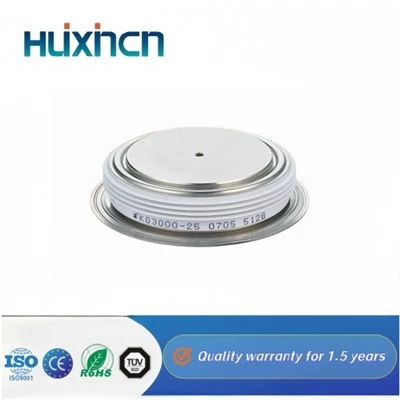
Before I go, a quick reality check: I’ve been supplying SSRs for over 8 years, and I’d say 7 out of 10 “broken” SSRs I hear about are just having input or load issues. That means you don’t have to panic and replace your unit right away. Take 20 minutes to go through the checklist, and you’ll probably fix it. If not, hit us up—we’re here to help. Happy troubleshooting, and keep those SSRs running smooth.
Welding Machine Parts References
- Solid State Relays: Application Note and Technical Guide, Electrocomponents plc, 2022
- “Troubleshooting Solid State Relays”, Industrial Control Systems Journal, Vol. 15, No. 3, 2021, pp. 45-52
- Thermal Management Guidelines for Solid State Relays, Motorola Semiconductor Products, 2020
- Noise Interference Mitigation for Low-Voltage Control Circuits, National Electrical Manufacturers Association (NEMA), 2023
Zhejiang Huixin Semiconductor Co., Ltd.
As one of the most professional solid state relays manufacturers and suppliers in China, our products have good reputation in the market. Please rest assured to buy advanced solid state relays in stock here from our factory. All customized power semiconductors are with high quality and competitive price.
Address: Huixin Semiconductor, No.19 Keais Road, Xiangyang Industrial Zone, Liushi Town, Yueqing City, Wenzhou, Zhejiang Province
E-mail: hx@huixinscr.com
WebSite: https://www.huixinscr.com/
